Showing posts with label AUTODESK MAYA. Show all posts

Thursday, December 22, 2011

Digital-Tutors – Exploring Animation in Maya 2011: Animating a Swinging Character 
Digital-Tutors – Exploring Animation in Maya 2011: Animating a Swinging Character


 1.31 GB | Project Files 41 MB 

In this tutorial  you will be taught  to do animation of a swinging character.Here,we will create an animation of a character swinging to a platform. Step by step, we will create this performance while covering various techniques that will help you improve your animation skill set. Techniques like: how to block in your extremes so that finalizing the animation becomes a faster process, improving arcs in the movement of your characters, animating between IK and FK modes, and overall we will learn how to animate with proficient workflows! By the end of this course, you will have the knowledge you need to create polished animations at a faster pace.

 so have it on our hdd and get ride of it..


download



DON't  FORGET  TO  CLICK  FOR  A  "+1"

Saturday, October 8, 2011

Morph a text to smoke or dust by FxFx.org
 Morph a Text to Smoke or Dust by FxFx.org

Size:94.00 mb

This tutorial is going to teaches you how to turn a text into a particle (dust, smoke).This effect can be used  this  in your intros, logo animations, object morphs etc. With Maya’s powerful particle dynamic system, you can turn your particles anything you wish. Like smoke, dust, clouds etc.


DOWNLOAD FROM

DON't  FORGET  TO  CLICK  FOR  A  "+1"

Sunday, October 2, 2011

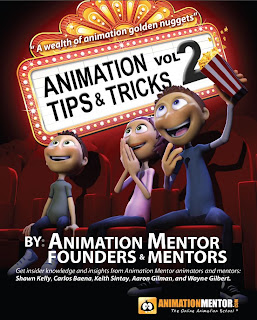
Animation Tips & Tricks Vol.2 : by ANIMATION MENTORS
Animation Tips & Tricks Vol.2 :  by ANIMATION MENTORS


                                                                  pdf | 13.00mb                                  
       
            Animation Tips & Tricks Volume 2 is a 70 pages PDF document with a collection of the best tips, advices and resources published on the   Blog. You will find most of the same content published in the blog but being free, collected in one comfortable document you could also print, makes the deal. It strikes for the simplicity of some answers to some of the most important questions an animator, being a student or an emergent professional, keeps on asking.
           
           Get Vol.1 also in this blog.

                                                                                                   Download From


DON't  FORGET  TO  CLICK  FOR  A  "+1"

Tuesday, September 27, 2011

AnimationMentors:Animation Tips & Tricks BY: Shawn Kelly     
                 ANIMZTIONMENTORS: Animation Tips & Tricks   BY: Shawn Kelly

e-book|pdf|11.00mb


PLANNING 1
OBSERVATION 2
REFERENCE MATERIALS 3
THUMBNAILS 5
BLINKS HAVE MEANING 7
THE FACE 13
OPERATIVE WORDS 15
SPOTLIGHT YOUR EXPRESSIONS 18
KEEP SECONDARY CHARACTERS SECONDARY 21
EXAGGERATION 28
FORGET ABOUT THE LEGS 31
TRACK YOUR ARCS 33
TRACK YOUR ARCS – PART II 37
CONTRAST IN POSING 40
CONTRAST IN TIMING 44
YOU ARE A TOOL 48
CONSTRAIN TO PROPS NOT TO THE CHARACTER 52
TWINNING 55
RISE ABOVE THE SNOBBERY 65
MOVING FROM TRANFORMERS TO CARTOONS 69
REVERSALS 77
RECHARGE YOUR ANIMATION BATTERIES 80
ASK SHAWN YOUR QUESTIONS 86
KEY POSES, BREAKDOWNS AND IN-BETWEENS 87
ANIMATION ADVICE 90


                                                                        DOWNLOAD


DON't  FORGET  TO  CLICK  FOR  A  "+1"

Saturday, September 24, 2011

EXPRESSIONS:-AN ULTIMATE E_BOOK OF MAYA EXPRESSION EDITOR FROM BASIC TO PROFESSIONAL

 EXPRESSIONS: AN ULTIMATE E_BOOK OF MAYA EXPRESSION EDITOR FROM BASIC TO PROFESSIONAL


                                                       expressions|e-book|size- 999 kb


                                                      lesion1. Introducing Expressions
                                                      lesion2. Quick Start
                                                      lesion3. Quick Start
                                                      lesion4. Editing Expressions
                                                      lesion5. Beyond the Basics
                                                      lesion6. Particle Expressions
                                                      lesion7. Functions

Click the link below to get the tut


DON't  FORGET  TO  CLICK  FOR  A  "+1"

Monday, September 19, 2011

Digital Tutors - Rigging the Human Face in Maya 2011

Digital Tutors - Rigging the Human Face in Maya 2011


                     Digital Tutors - Rigging the Human Face in Maya 2011

          In this collection of lessons we will learn about a wide variety of useful tools and techniques for rigging a human face.This course covers tools and techniques for rigging the human face in Maya. Throughout the course we will focus on providing animators with the control they need to create natural expressions with a control rig that computes fast. We will also creatively explore several techniques and tools that can be used to create realistic deformations. Step by step, we will construct a facial control system that is robust and animator-friendly. We will learn everything from how to create a reverse-jaw rig, rigging with curves for flexibility, how to create sticky controls, fleshy eyes, and we will also cover how to set up preset expressions for fast animation. 


Sunday, September 18, 2011

Digital-Tutors - Maya to MotionBuilder Integration

  Digital-Tutors - Maya to MotionBuilder Integration


Digital-Tutors - Maya to MotionBuilder Integration
English | Video: vp6f, yuv420p, 1280x720, 1024 kb/s | Audio: mp3, 44100 Hz, s16 | 252 MB

In this series of lessons you will learn a Maya to MotionBuilder workflow.
In this course, we will learn a Maya to MotionBuilder workflow. We'll start by learning how to clean up and optimize a motion captured-driven skeleton inside of Maya. We'll then learn how to Characterize the skeleton for retargeting within MotionBuilder. Afterwards, we'll explore the inter-operability between MotionBuilder and Maya and discuss how to work with their new Send To feature for transporting files back and forth between the two applications in a fraction of the time. We'll learn the retargeting process in MotionBuilder and also learn how to work with its Control Rig and Animation Layering systems to finesse performances. Finally, we'll send the animation back to Maya to finalize our scene. By the end of this series of lessons, you'll learn how to use the tools in both Maya and MotionBuilder to polish, enhance, and retarget your character animations in half the time it would normally take.


8 videos in this course
1. Introduction and project overview
2. Creating a T-stance for the skeleton
3. Cleaning up motion capture
4. Characterizing the skeleton
5. Exporting from Maya to MotionBuilder with Send To
6. Retargeting animation in MotionBuilder7. Correcting the retargeted animation with animation layers
8. Sending the animation back to Maya to finalize the scene


               http://www.uploadstation.com/file/4pDYHt7/_DT_Maya.to.MotionBuilder.Integrat.rar


Saturday, September 17, 2011

FXPHD Maya 2011 Lighting & Rendering
 FXPHD Maya 2011 Lighting Rendering

FXPHD Maya 2011 Lighting & Rendering
project files | mov | 1.7Gb

                                                           DOWNLOAD LINK HERE

Thursday, September 15, 2011

Digital-Tutors : Exploring NURBS in Maya 2012

Digital-Tutors : Exploring NURBS in Maya 2012

Digital-Tutors : Exploring NURBS in Maya 2012
1 hrs. 28 min.| Released on August 1, 2011|Project Files Included (307 KB)

                                             class1. Introduction and project overview

2. What are NURBS?
3. Using NURBS primitives
4. Creating curves
5. Creating surfaces
6. NURBS parameters
7. Working with trims
8. Combining curves and surfaces
9. Using Booleans
10. Blending multiple surfaces
11. Texturing NURBS objects
12. Stitching patches together
13. Converting NURBS to other geometry types

DOWNLOAD
                       
  FILESONIC


      http://www.filesonic.com/file/1737991224/_DT_Exploring_NURBS_in_Maya.2012.part1.rar
      http://www.filesonic.com/file/1737994014/_DT_Exploring_NURBS_in_Maya.2012.part2.rar


  FILESERVER

Monday, September 12, 2011

Digital-tutor:Pixar RenderMan Tutorial Link


Digital-tutor:Pixar RenderMan Tutorial Link


Digital-tutors: Digital Tutors-Pixar RenderMan Tutorials-Siggraph2007 | 300 MB
This is Digital Tutors-Pixar RenderMan Tutorials-Siggraph2007. 
talk adout archiverib. subsurface.animation rendering


WUPLOAD

Digital-Tutors : Creative Development: Guerilla Lighting and Rendering Tactics in Maya with Ed Whetstone


Digital-Tutors : Creative DevelopmentGuerilla 


Lighting and Rendering Tactics in Maya with 


Ed Whetstone


Digital-Tutors : Creative Development: Guerilla Lighting and Rendering Tactics in Maya with Ed Whetstone Fileserve – Filesonic – Bitshare – Uploadstation – WUpload | 1008.87 MB
Digital-Tutors : Creative Development: Guerilla Lighting and Rendering Tactics in Maya with Ed Whetstone /1008.87 mb


FILESONIC
Twitter Bird Gadget